Maybe you’ve seen it, maybe you haven’t… Recently, we’ve made some updates to the SND Dashboard that focuses on some of the finer details of social media management. Simple flags and labels to let you know what your content’s status is.
Live Video Labels
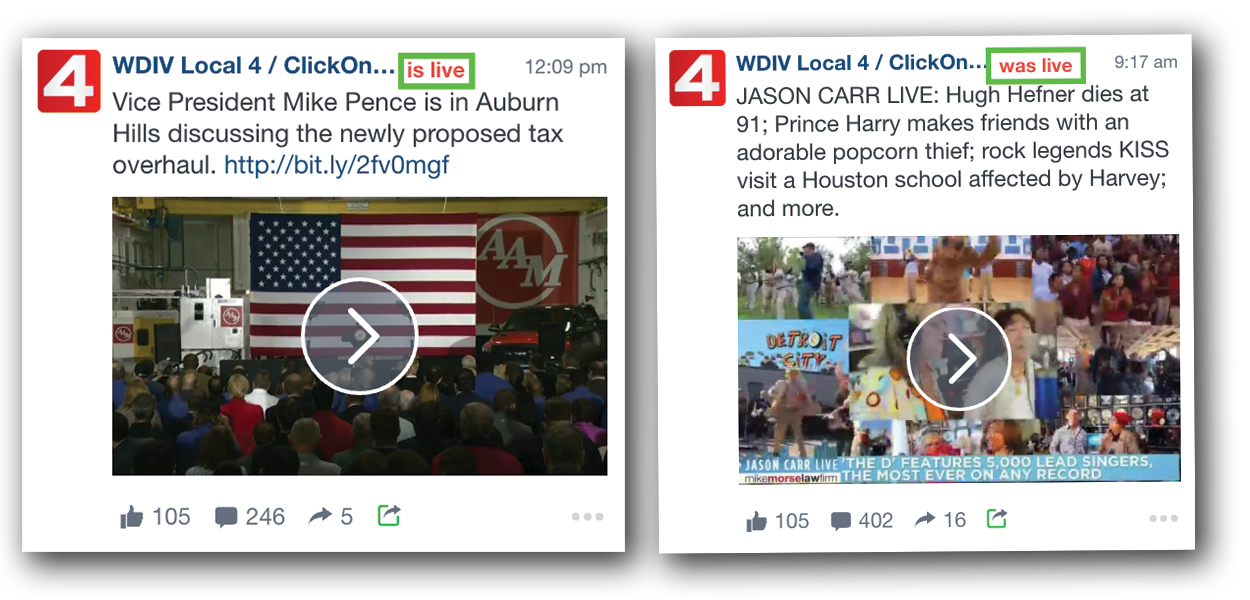
It’s no secret the importance and value of utilizing Facebook Live on a regular basis. And to help you get the biggest possible audience, we built the Repost tool which allows you to “share” content, but do so organically, rather than virally. Once your Facebook Live broadcast ends, you can share the post as a VOD (video on demand) to any of your Pages under management.
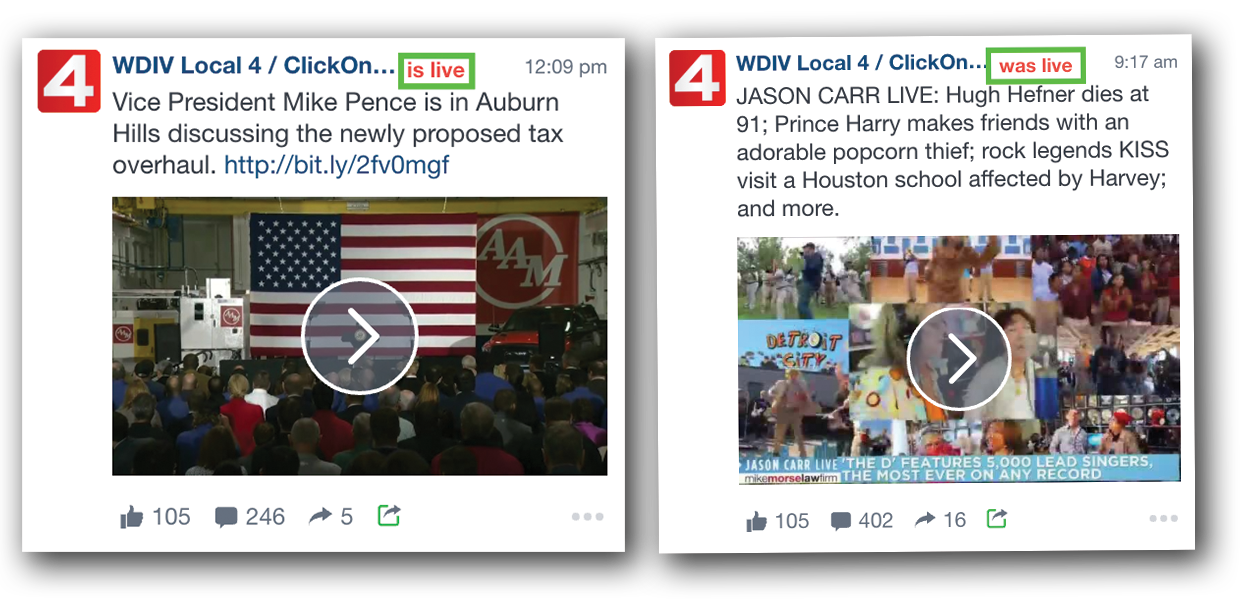
In the SND Dashboard, you now have the ability to see when a FB Live video “is live” and when it “was live.” This way you can watch and interact live, and then you can repost as VOD when the flag turns to “was live” indicating the Page is no longer Live.
Deleted Post Flags
One thing we hear from media outlets often is, “I scheduled a post, and it’s not on the page any more.” Inside the SND Dashboard’s Post Manager, users can now see posts that have been deleted. No matter whether the post was made through the Dashboard, or made elsewhere. If it was published to the page, then deleted, you’ll see that flagged in your post manager.
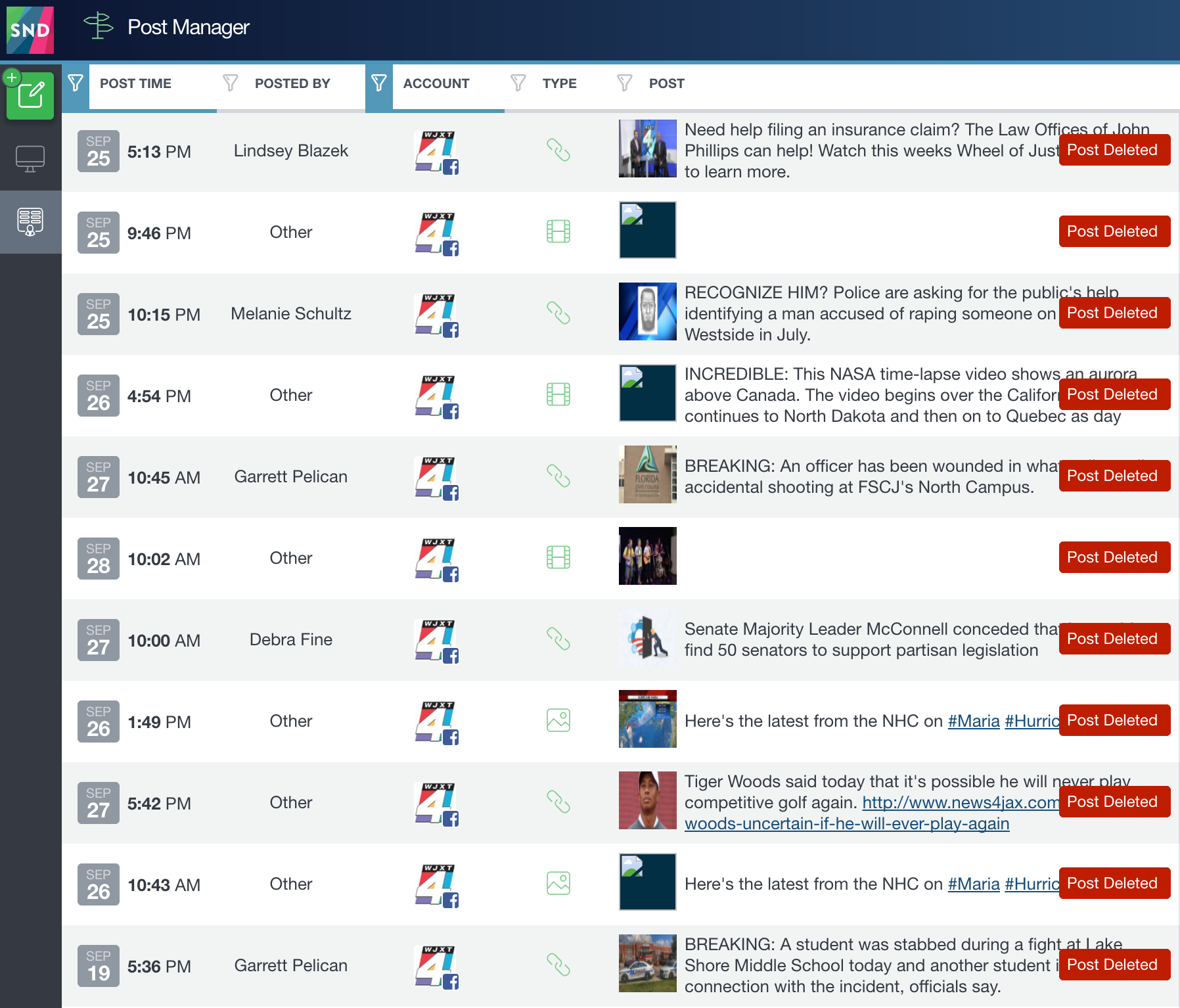
This is helpful for manager users and others when determining “zero engagement” posts for your pages. When you reverse sort by “Engagement”, you’ll see all the posts with the lowest engagement. And often times, this is full of deleted posts. So being able to differentiate between a deleted post and one that’s still published will give you a better understand of what’s working and what is not.
Do you have questions about “what works” and “what doesn’t” on social media? We’re here to help you with that as well! You can contact any of us at #TeamSND to set up one of our Custom Webinars! It’s quick and we promise you’ll get at least a few new ideas!