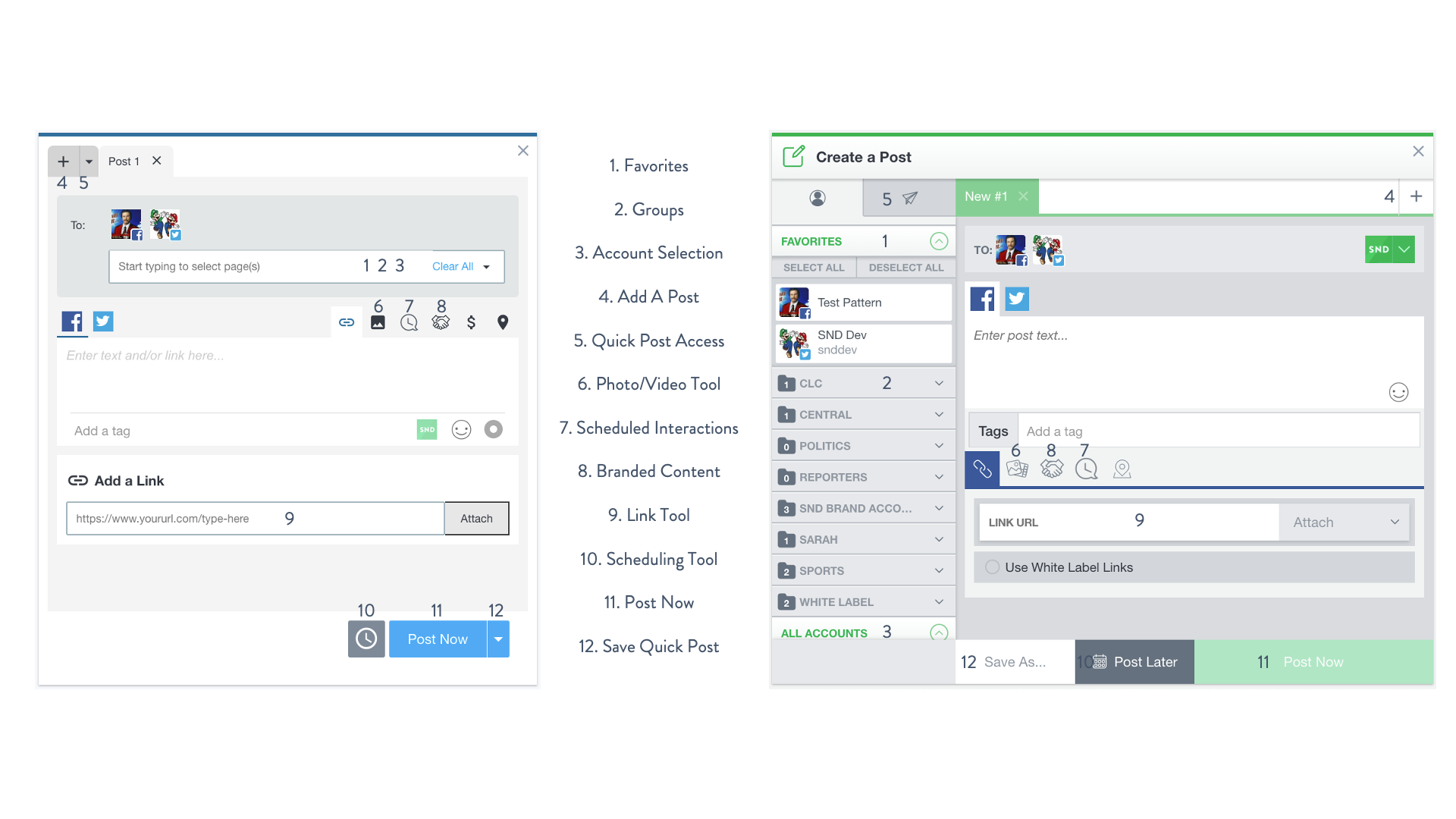
New SND is here and you’ve probably already noticed there’s a new Post Composer that’s much more streamlined. While we’ve moved some things around to keep functions together, you’ll notice all the features you love from Classic SND are still around.
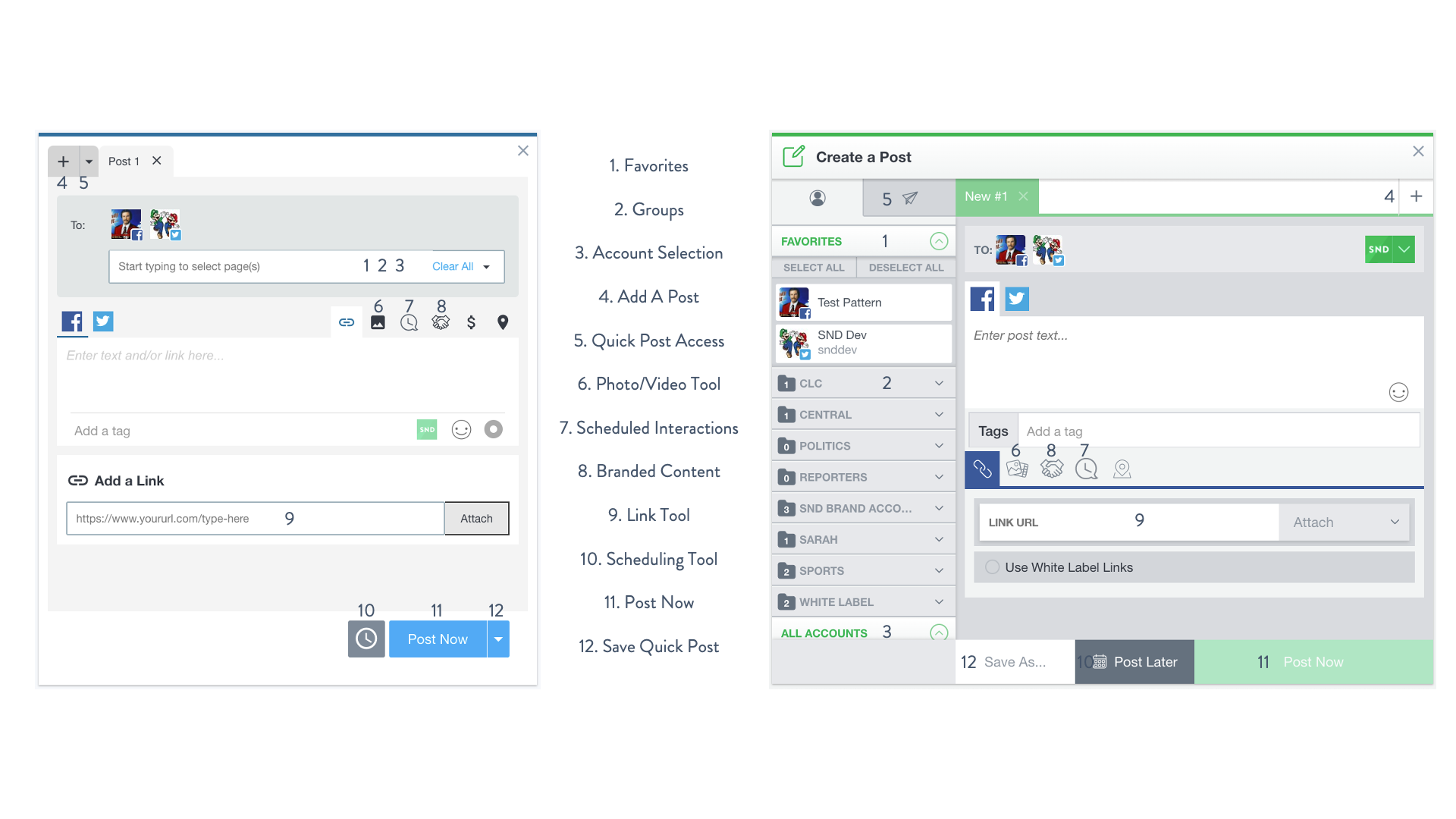
Let’s take a look at what’s new!
Favorites, Groups & Account Selection
We’ve consolidated all of your favorites, groups and accounts into a drop-down list, which is now easily searchable by account name or social network. Adding your favorites is as simple as clicking the star next to the account (click again to remove from your favorites).
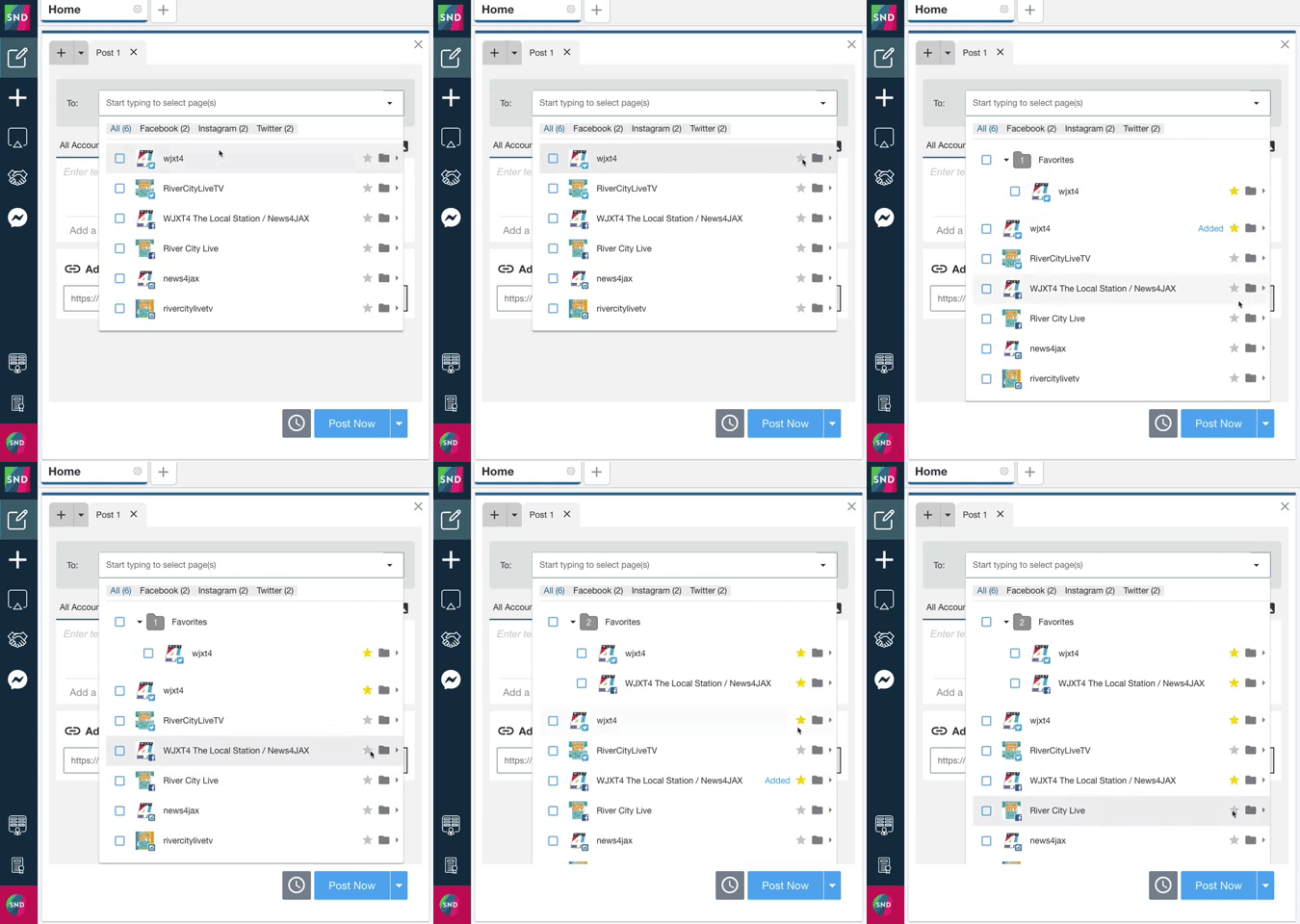
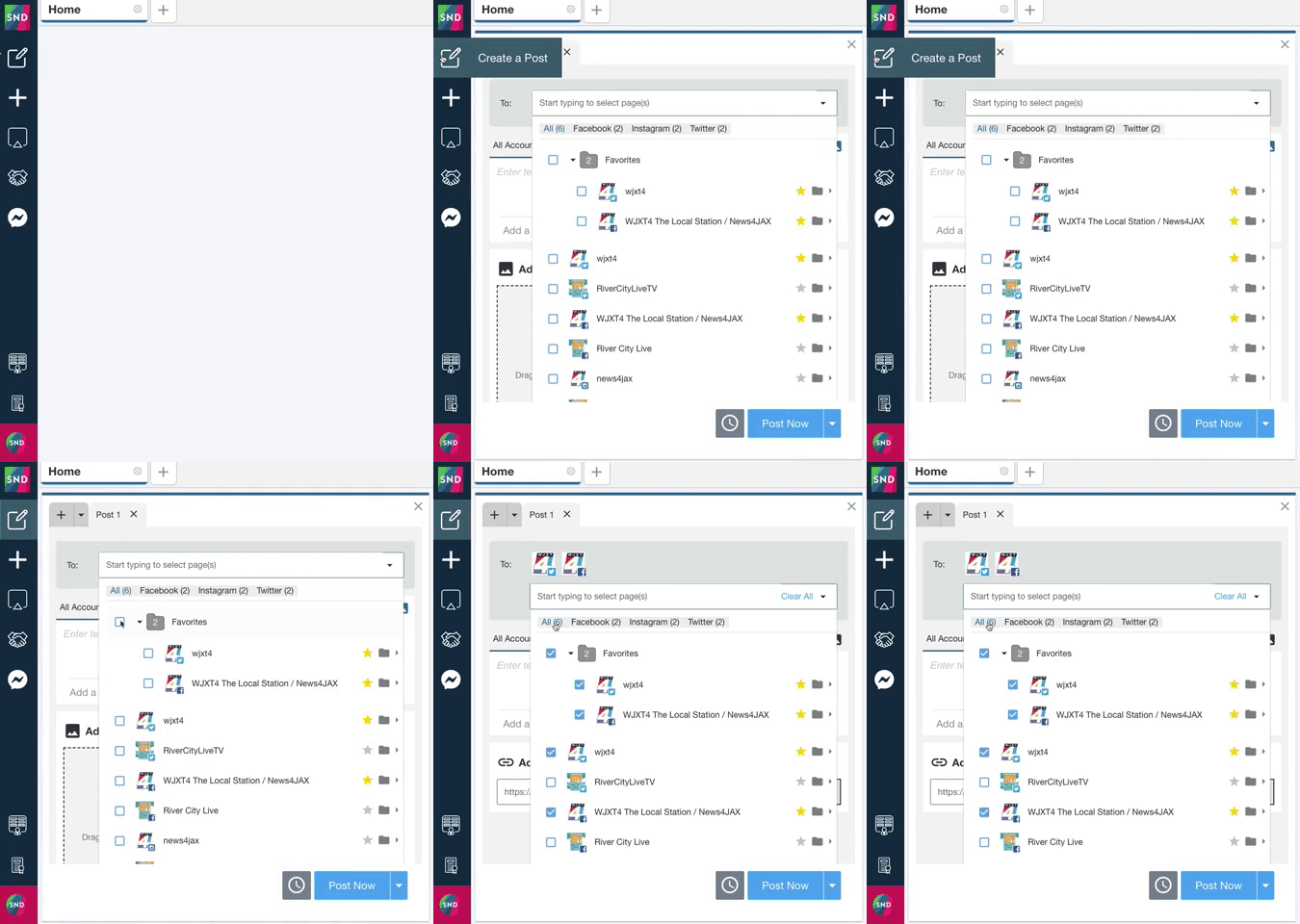
When you open the post composer, the account list will automatically drop down, with your favorites exposed for ease of use. After all, they’re your favorites for a reason!
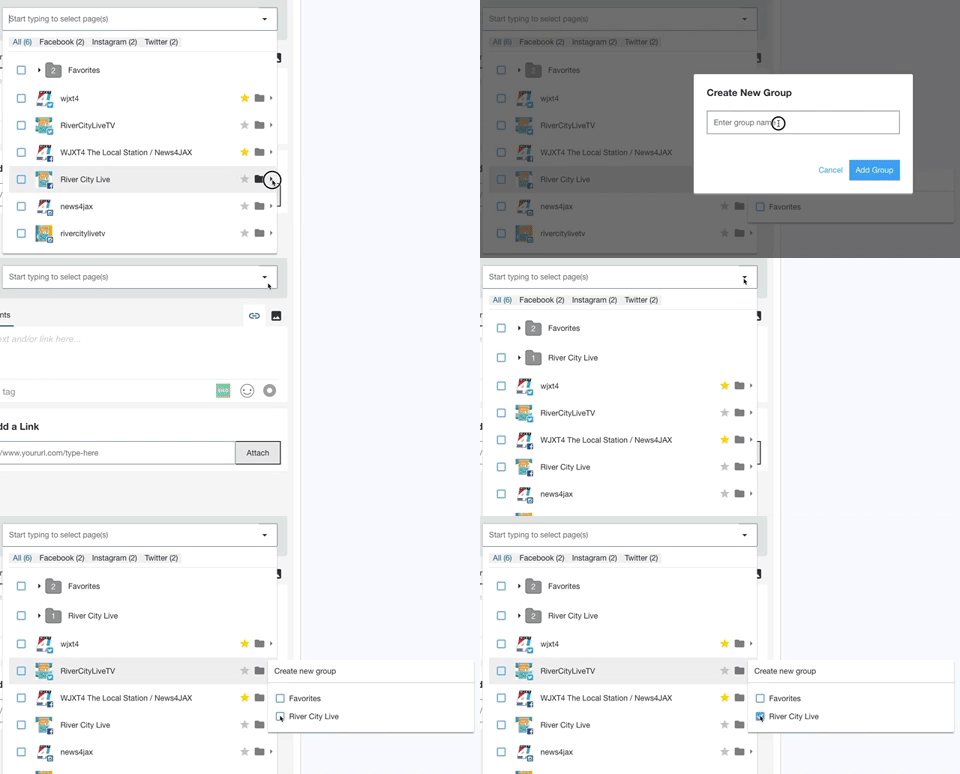
Need more groups? Click the arrow next to the folder icon, and give your group a name. After that, your group will appear in the list so you’ve always got your accounts organized and ready to use.
Adding A New Post
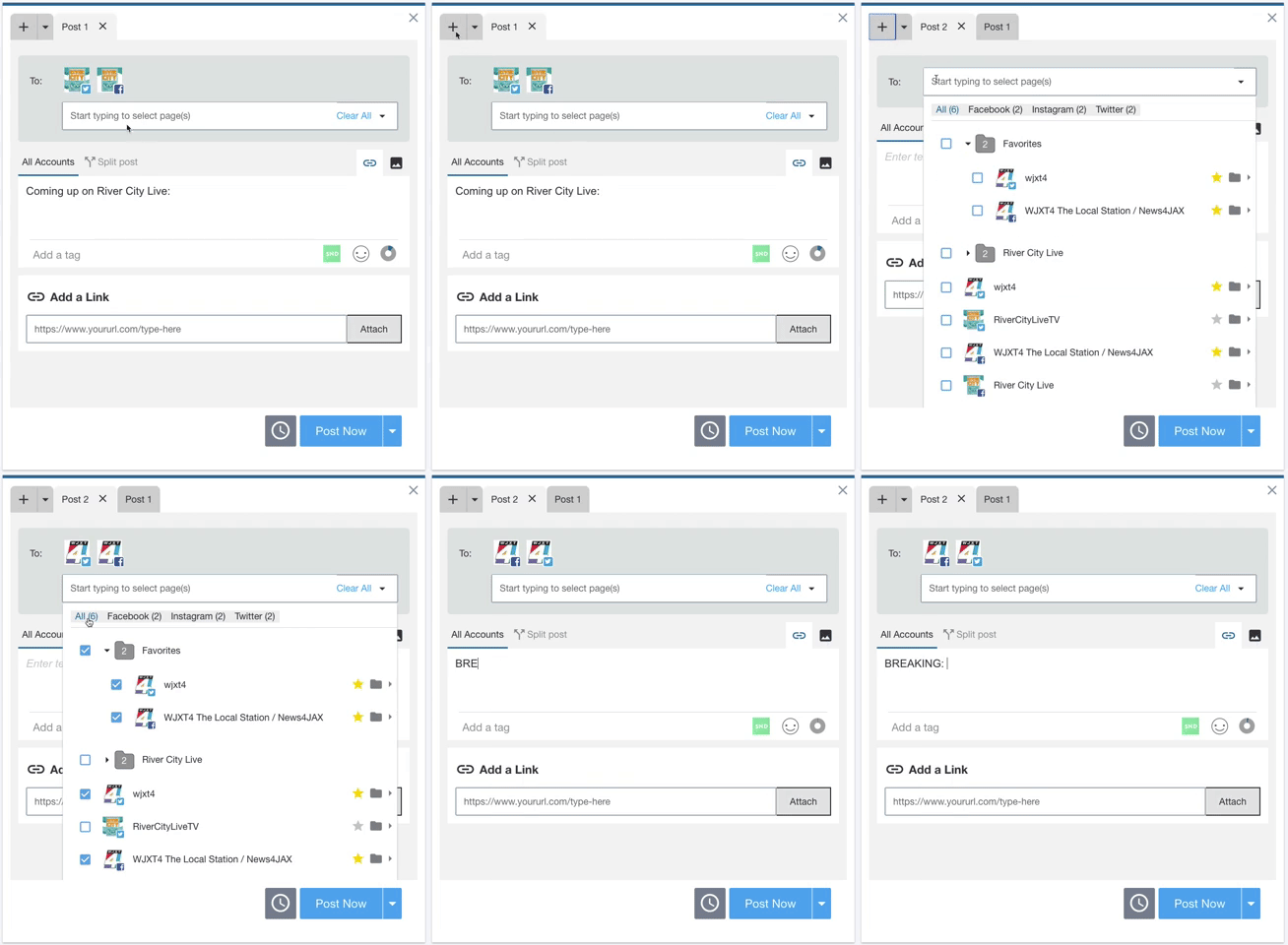
Sometimes you’re in the middle of creating a post and breaking news happens – meaning you’ve got to shift gears right away. Sound familiar? With SND, you can always add a new post tab to your composer, then go back to what you were working on before.
Creating and Using Quick Posts
If you’ve used Quick Posts, you probably love Quick Posts. Just click the drop-down next to “Post Now” to save your Quick Post template, and click the drop-down next to the Add a Post button to access the Quick Posts you’ve already created.


Scheduling Posts
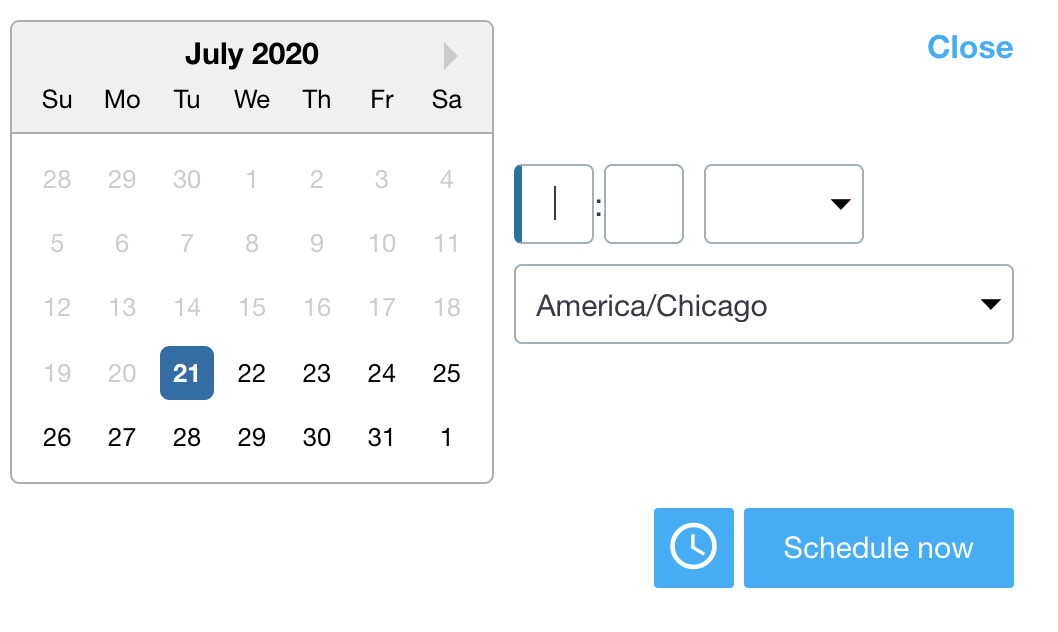
The post scheduler has gotten a face-lift, but the functionality is exactly the same. We’ll default to today’s date, and you can choose any date and time in the future to schedule your post – down to the minute.
We’ve already heard from many of you that New SND’s speed is saving you precious time throughout the day. If you have questions, please get in touch at support@socialnewsdesk.com!