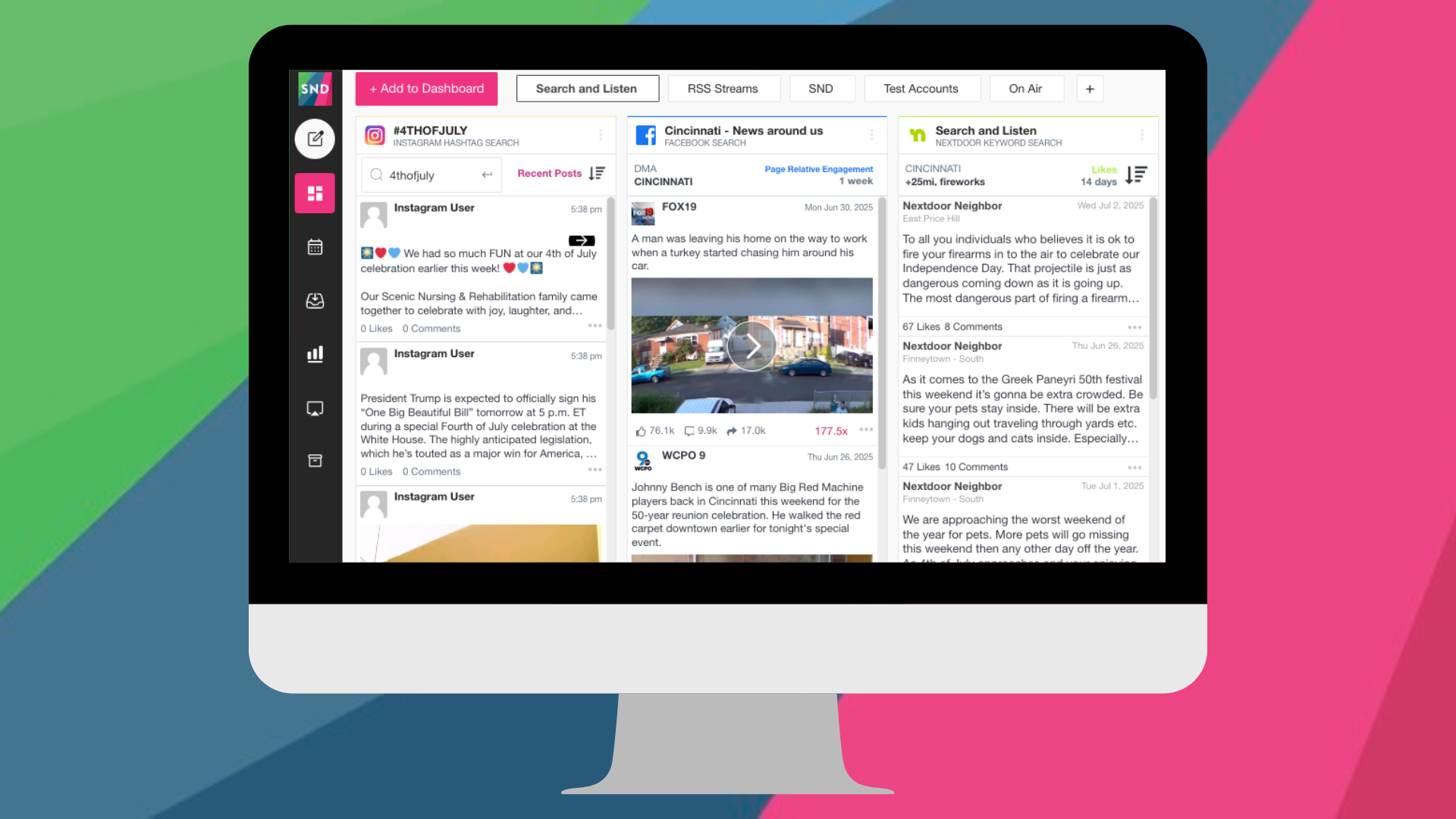
Keeping tabs on what other newsrooms are posting can provide insight into trending topics, audience engagement, and coverage patterns. Social News Desk’s Search & Listen feature lets teams monitor Facebook, X, Instagram, and Nextdoor from one dashboard, keeping everything organized while maintaining focus on your own reporting.
How It Works
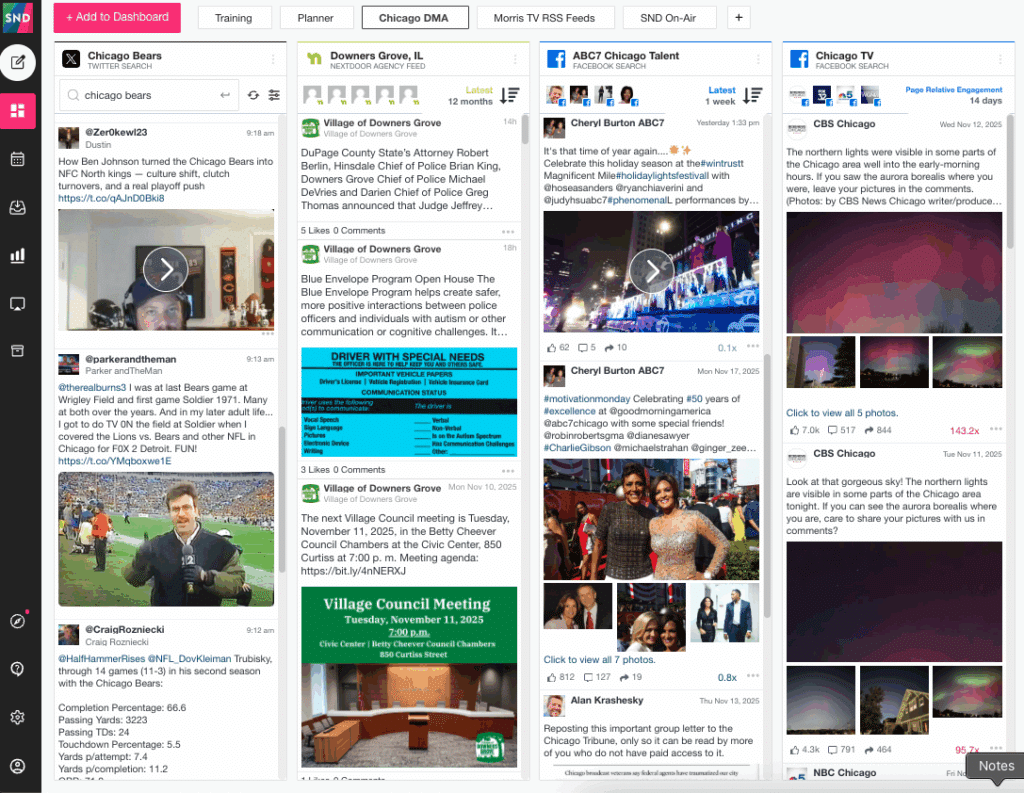
Search & Listen brings activity from multiple social platforms into a single view, giving teams a streamlined way to stay aware of what’s happening in their market. With it, newsrooms can:
- Track social accounts, keywords, or topics in real time
- View posts and engagement across multiple platforms
- Organize streams by beat, topic, or account
Having all of this information in one place makes it easier to stay informed and work efficiently.
Nextdoor for Local Stories
Nextdoor often surfaces neighborhood-level conversations that may not appear on broader platforms. When monitoring Nextdoor through Search & Listen, newsrooms can keep an eye on:
- Local discussions and community topics
- Neighborhood-specific events or updates
- Emerging story opportunities
Read more about using Nextdoor with SND in this blog post.
Real-Time Monitoring for Breaking News
During developing or fast-moving stories, Search & Listen can help newsrooms follow updates as they happen. This allows teams to:
- Monitor competitor posts as events unfold
- Track engagement trends
- Consolidate posts, photos, and updates from multiple sources
See a behind-the-scenes example of real-time monitoring in action with SND’s Search and Listen.
Staying Focused
To make monitoring structured and actionable, it’s helpful to have a clear plan for what information to track. Newsrooms can:
- Define which accounts, topics, or keywords to track
- Organize streams by relevant themes
- Focus on insights that inform coverage
- Share key findings in editorial meetings
This supports awareness of market activity while maintaining focus on your own reporting priorities.
Putting It Into Practice
Search & Listen can be incorporated into daily workflows in a variety of ways. Teams commonly use it to:
- Track competitors and partners regularly
- Identify emerging topics and trends
- Keep streams organized for quick access
- Guide story priorities and coverage planning
With Search & Listen, newsrooms can stay informed while keeping attention on the stories that matter most. To learn more about how your newsroom can set up and use Search & Listen, reach out to the Social News Desk team to get started.