We’ve all been there: A social media post you had scheduled to go out, well, didn’t. Or maybe you had several (if you’ve ever planned a bunch of weekend postings, you probably know what we’re talking about). You lose out on traffic, engagement, and having that consistent social presence.
The worst part? You might not even know about it until the next day, or later.
Now for the good news: SND will keep tabs of any failed posts — Facebook, Twitter, Instagram, and LinkedIn — and notify you right away. This means that you can go back into your Dashboard, view the error, and address it on the spot (or tell your team).

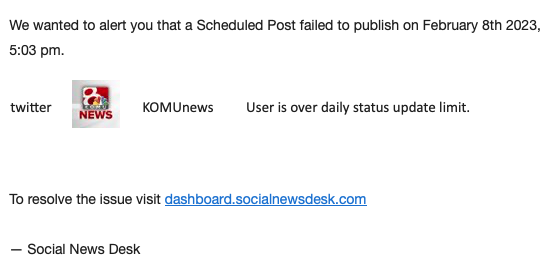
This goes for any post your team scheduled or had automated, so we’ve got you covered in both places. You’ll get an email in realtime telling you what post failed (and on what platform), and why. This helped one newsroom, KOMU-TV, when suddenly being unable to publish tweets.
“The email quickly alerted me to a failed post, so I was able to correct it right away instead of noticing hours later. I also appreciate that the alert tells me why the post failed/shows which platform the post failed on, so I could easily address it with my digital team.”
Stephanie Southey, Digital Content Editor for KOMU-TV
Stephanie says she was able to alert her team right away, and contact SND Support for guidance:
How the email alert looks:
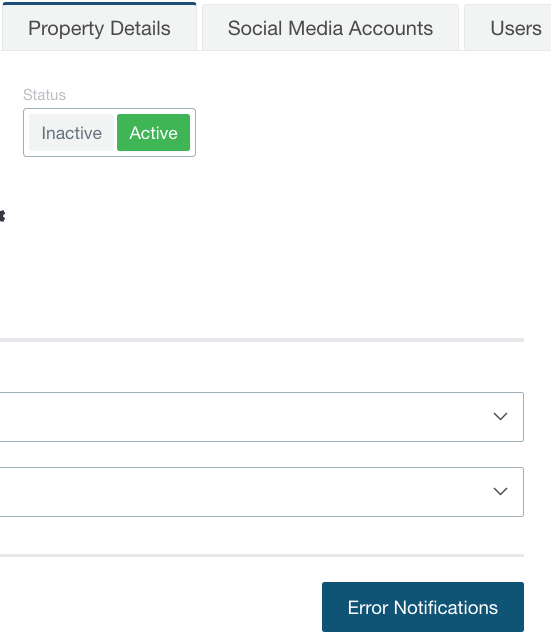
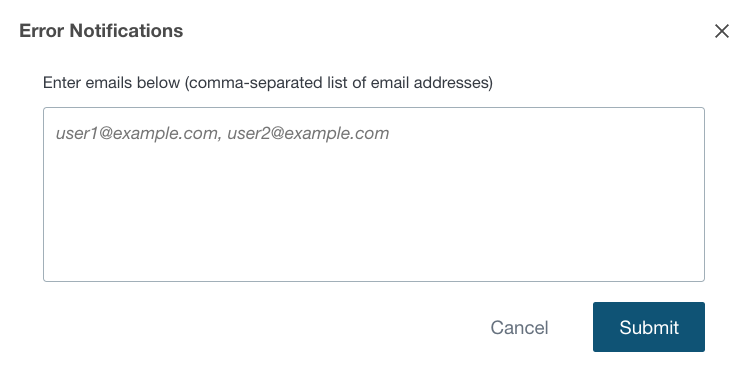
And, as with most things in SND, you can set it up in a way that works for you. If you want to make sure others receive the email alerts, any Manager-level SND user can easily make that happen with just a few clicks.
Manage Properties: Error Notifications
A nice bonus: We’ll also send you reminder emails about Facebook Pages that are soon to expire or have already expired. What about those times when pages suddenly disconnect? Yep, we’ll tell you about that, too. We’ll do the heavy lifting for you!
As always, we’re here to help. Have questions about how it works? Need help with getting your posts back up and running? We’re only an email away: support@socialnewsdesk.com.