One of the best things about social media is the ability to experiment. Small changes in how you publish can have a big impact on engagement, and even revenue.
For many teams, the post type you choose on Facebook makes all the difference. Some of our customers have reported stronger engagement with photo posts vs. link posts, which in turn has translated into higher revenue. Others are leaning heavily into text- or image-based updates that prioritize storytelling and keep links out of the main caption.
The challenge? Until now, Autopilot only supported link posts on Facebook. That meant if you wanted to try photo or text posts – or move links into the comments for a cleaner look – you had to do it manually.
We’re changing that with a new feature in SND Autopilot.
What’s New
You can now choose the post type for your Facebook Autopilot feeds:
-
- Link Post: The standard option with a clickable link preview.
-
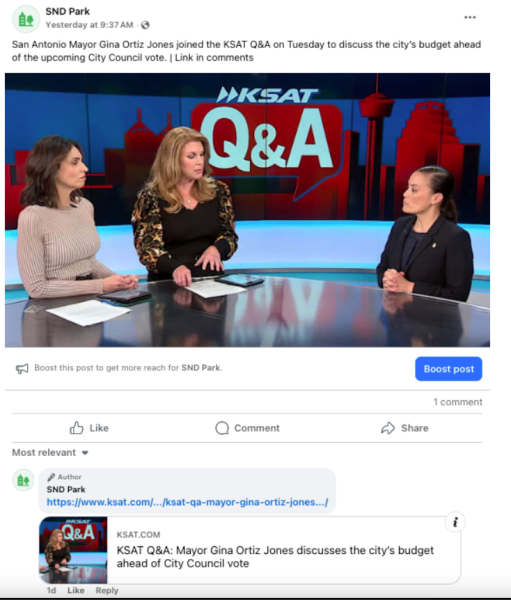
- Photo Post: Highlight an image and keep the caption clean. Optionally push the link to the comments.
-
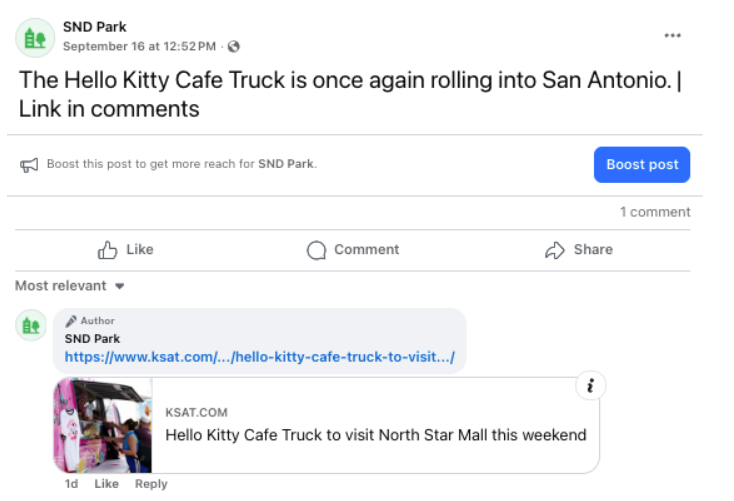
- Text Post: Share updates without a preview thumbnail. Optionally add the link in the comments.
This flexibility gives you more control over how your content looks in-feed.
Why It Matters
-
- Engagement: Photo posts often stand out more in the feed.
-
- Revenue: More engagement on Meta = more opportunities for monetization.
-
- Clean Captions: Moving links to comments helps keep your captions short, scannable, and focused on storytelling.
-
- Automation: No need for manual posting or scheduling. Autopilot handles it all – including automatically scheduling the first comment if you choose that option.
How It Works
When creating or editing an Autopilot RSS feed:
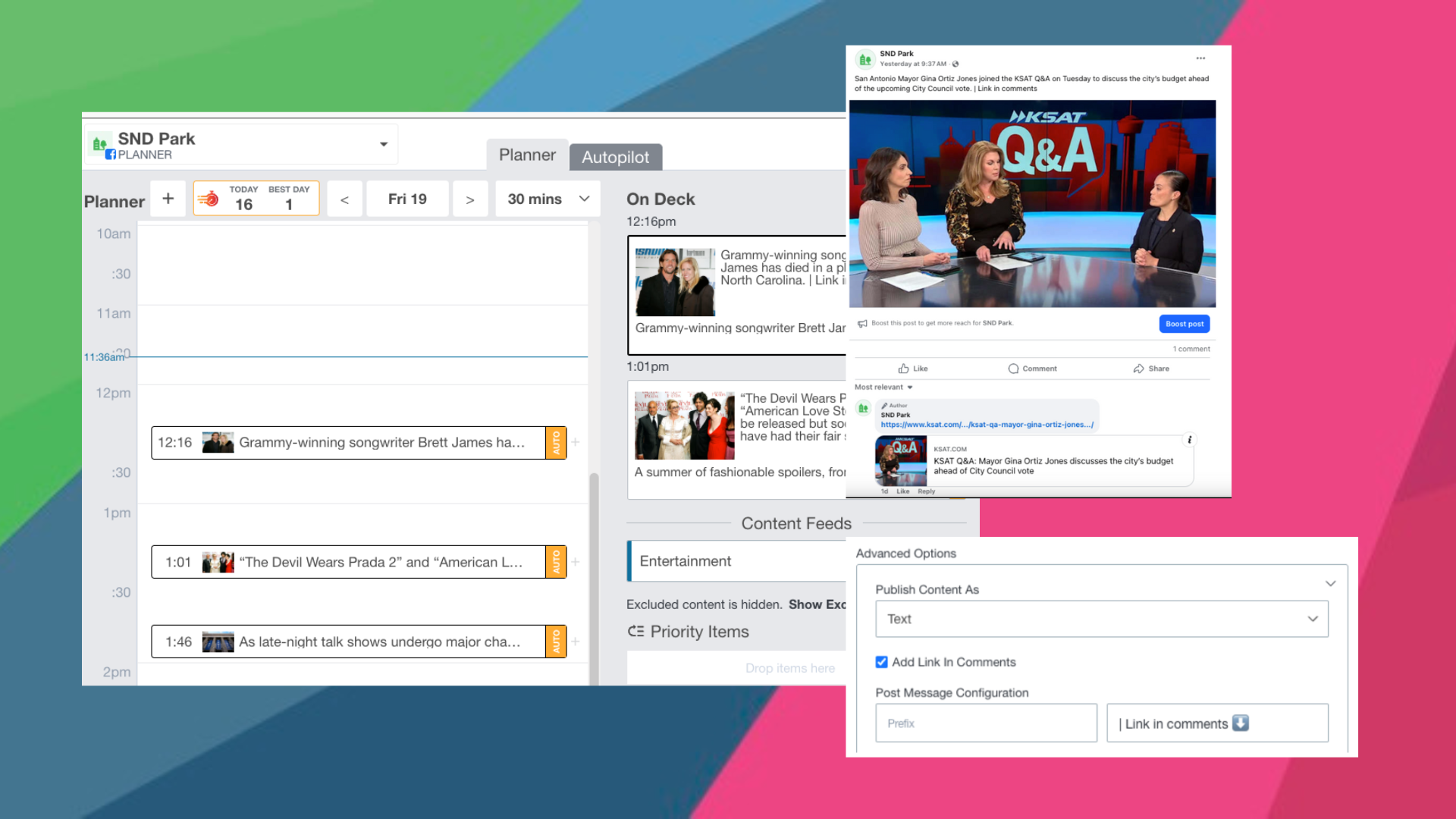
- Go to Advanced Options → Publish Content As.
- Select Link, Photo, or Text.
- For Photo or Text posts, check “Link in Comments” if you’d like the link published after the post goes live.
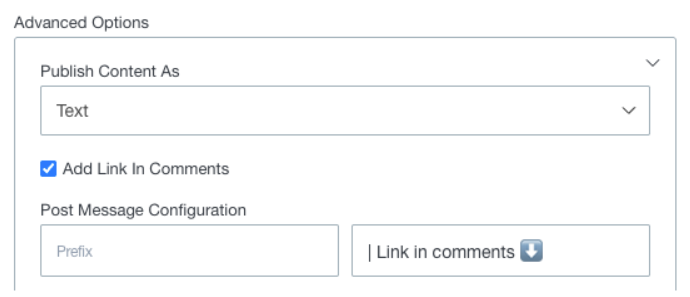
From there, Autopilot will generate posts automatically according to your setup. You’ll also see the familiar AUTO chip in Planner so you know which posts were created via Autopilot.
Next Steps
This feature is available today for Facebook Autopilot feeds. Start experimenting with different post types and see what performs best for your audience!
Have questions? Want to talk Meta strategy? Our Client Success team is always just an email away: support@socialnewsdesk.com.