For today’s communicators, publishing to social media isn’t just about getting posts out the door—it’s about saving time, staying flexible, improving accessibility, and keeping teams aligned, even during breaking news. In the recent Social News Desk webinar, “Power Up Your Posts: 10+ Ways to Get More Out of SND,” Sarah Loyd, Head of Product Success and Evangelism, and Kelli Papendick, Client Success Manager, shared 10+ practical tips to help teams work smarter inside the SND dashboard.
From post creation and scheduling to automation, accessibility, and reporting, the session was packed with features many teams already have—but may not be fully using yet. Below is a recap of the biggest takeaways.
1. Build Once, Post Faster with Templates
Templates make it easy to standardize posts you publish frequently—breaking news, weather updates, service reminders, or recurring hashtag groups. Create a post once, save it as a template, and reuse it whenever needed. Templates can be shared with your entire team, helping maintain consistency while reducing manual work.
2. Schedule Once with Recurring Posts
If you publish the same message daily, weekly, or monthly, recurring posts are a major time saver. Configure the schedule once and let SND handle the rest. Recurring posts appear clearly in Planner and Calendar, and individual posts can still be adjusted if plans change.
3. Improve Accessibility with Alt Text
Accessibility matters. Social News Desk supports alt text for images on platforms that allow it, including Facebook, Instagram, X, LinkedIn, Threads, and Bluesky. You can now add alt text once in Post Composer instead of repeating it for each network, making accessible posting faster and easier.
4. Increase Reach with Facebook Background Posts
Facebook continues to prioritize non-linked posts. Using Facebook’s built-in text-and-background combinations helps text-only posts stand out in the feed. SND makes it easy to preview and select these background styles directly in Post Composer.
5. Extend Engagement with Scheduled Interactions
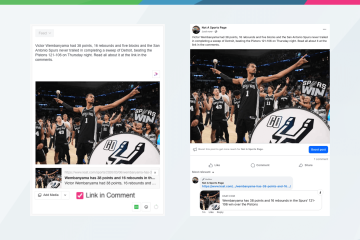
Scheduled interactions allow you to automatically add comments or shares after a post publishes. This is especially useful for:
Adding links in comments (instead of post text)
Including hashtags on Instagram without cluttering captions
Asking follow-up questions or adding calls to action
It’s a simple way to increase engagement without additional manual steps.
6. Reclaim Dashboard Space with a Collapsed Planner
Planner can be collapsed into a narrow view, keeping your daily publishing schedule front and center while freeing up space to monitor feeds. Power users can even place multiple Planner views side by side for greater visibility.
7. Customize Coverage with One-Time Autopilot Automation
One-time automation lets you create temporary Autopilot schedules for holidays, special coverage, or limited staffing situations—without disrupting your regular workflow. These automated posts are clearly marked in Planner so teams always know what’s running.
8. Hold Space in the Schedule When Needed
Need Autopilot to skip a time slot for a live event or breaking coverage? One-time and recurring manual slot placeholders allow you to reserve space in Planner so automation works around it, not against it.
9. Publish Links in Comments Automatically
Using RSS feeds with advanced options, teams can publish posts as text or media and automatically place links in the comments. This strategy aligns with Facebook’s preference for non-linked posts while preserving referral traffic.
10. Automate Media Publishing
Autopilot also supports media RSS (MRSS), allowing teams to automate video publishing across supported networks. This is an easy way to increase non-linked content and ensure video is consistently published without manual uploads.
11. Make the Most of Your Instagram News & Bio Page
Every Instagram account connected in SND automatically gets a News & Bio page. Teams can customize headers and add branded link buttons—no coding required—creating a cleaner, more engaging destination for link-in-bio traffic.
12. Keep Control with Drafts
Drafts are ideal for posts that aren’t ready to publish yet. Using Calendar, teams can drag and drop drafts directly onto specific dates and times, making planning visual, flexible, and collaborative.
13. Plan Ahead with Calendar Notes
Calendar notes act as internal reminders for holidays, staffing changes, post ideas, or upcoming events. Notes can be color-coded, tagged, and shared across the team—keeping everyone aligned without extra emails or spreadsheets.
14. Spot Patterns with Heat Maps
Heat maps in Post Manager visualize when your content gets the most impressions, clicks, or video views. They also show when you’re publishing the most content, helping teams adjust timing and strategy based on real performance.
15. Customize Reporting with Social Summary Reports
The Social Summary Report puts teams in control of the metrics that matter most. Reports are fully customizable, allowing you to filter by content, keywords, or tags and tailor insights for leadership or stakeholders.
16. Keep Teams Aligned with “Mark Complete”
Inside Inbox, the Mark Complete feature lets teams instantly see which messages and comments have been handled. It’s a small feature that has a big impact on response workflows and accountability.
If you’re an existing Social News Desk customer and want help using any of these features, the Client Success team is always happy to help at support@socialnewsdesk.com.
If you’re not yet using Social News Desk and want to see how these tools can streamline your social media workflows, you can start a free two-week trial or request a demo at socialnewsdesk.com/demo.